
Smartphone Overheating Stats
- High brightness outdoors is a leading cause of summer overheating issues. (Tech Times)
- Charging a battery at 45°C (113°F) doubles degradation versus 25°C. (Chargie)
- 45% of users charge in cars, where solar heat often compounds device warmth. (Android Authority)
- Users report feeling heat sensation once skin temperature exceeds 40°C. (ResearchGate)
You pick up your phone, and it’s noticeably warm, maybe even hot. Your first instinct might be to brush it off. Phones get warm sometimes, right?
You’re not wrong. A little warmth during a long video call or while charging is completely normal. But when your phone feels hot to the touch, stays warm even when you’re not using it, or starts slowing down without warning, that’s your device telling you something worth paying attention to.
The good news? Most smartphone overheating issues are preventable. This guide breaks down why it happens, what it can lead to if ignored, and exactly what you can do about it, whether you’re 16 or 76.
Why Does Your Smartphone Overheat?
Your smartphone is essentially a small, powerful computer. Like any computer, it generates heat when it works hard. That’s normal. The problem starts when your phone can’t release that heat fast enough, or when it’s being pushed harder than it should be.
Understanding the cause is the first step to fixing it.
Common Everyday Causes of Phone Overheating
Most overheating isn’t dramatic; it builds up from habits we barely notice. The most frequent culprits include:
- Gaming for extended periods, graphic-intensive games push your processor and GPU to their limits
- Streaming video for hours, whether it’s YouTube, Netflix, or TikTok, sustained video playback generates significant heat
- Too many apps running in the background, even when you’re not actively using them, consume processing power and battery
- Poor ventilation, using your phone in a thick case with no airflow, traps heat against the device
If your phone gets hot when gaming or during long streaming sessions, this is almost always the reason.

Environmental and Charging Habits That Make It Worse
Your environment plays a bigger role than most people realize. Heat sources outside your phone can compound the heat generated inside it:
- Leaving your phone on a sunny dashboard or windowsill
- Using your phone in a hot car during summer
- Charging with a third-party or counterfeit charger that delivers inconsistent voltage
- Gaming or streaming heavily while the phone is plugged in, doing both at once, is one of the fastest ways to overheat a battery
What Happens If You Ignore an Overheating Phone?
Occasional warmth is harmless. Chronic overheating is not. Here’s what’s actually happening inside your device when it runs too hot for too long.
Battery Swelling and Long-Term Battery Damage
Your smartphone battery is a lithium-ion cell, and heat is its biggest enemy. Sustained high temperatures cause the battery to degrade faster, holding less charge over time. In more serious cases, heat causes the battery to swell, which can warp your screen, crack the back glass, or even make the phone unsafe to use.
If you’ve noticed your phone’s battery draining faster than it used to, heat exposure over time is often a contributing factor.
Performance Slowdowns and Unexpected Shutdowns
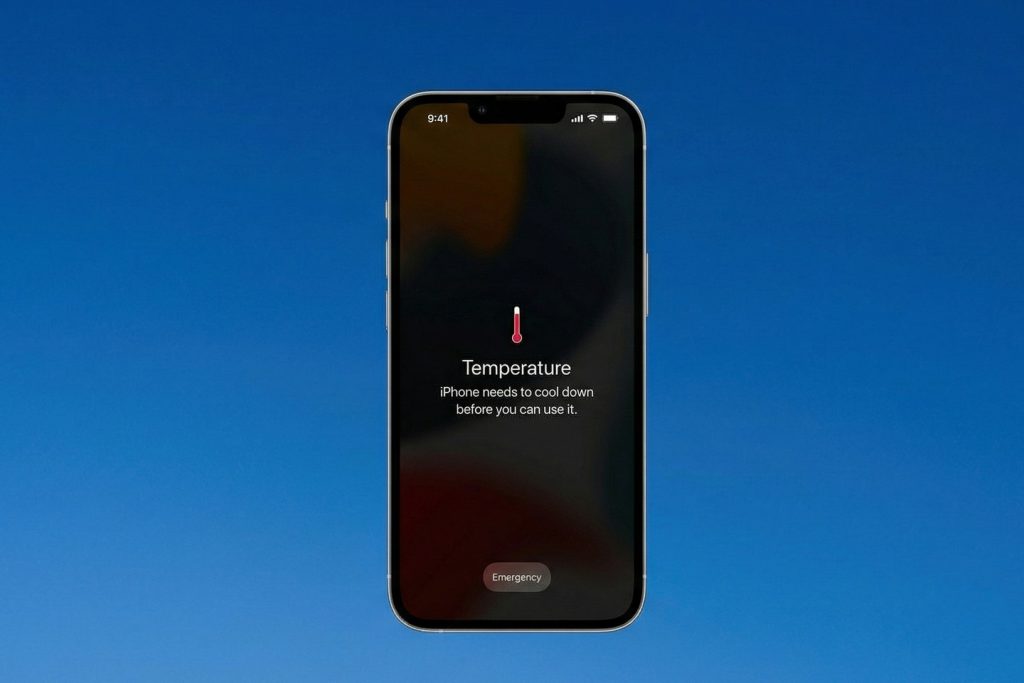
Modern smartphones have a built-in self-protection feature called thermal throttling. When the phone gets too hot, it deliberately slows down its processor to reduce heat. You’ll notice this as sudden lag, a sluggish interface, or apps taking longer to load.
If your phone shuts down on its own without warning, especially during use, that’s a thermal shutdown. It’s your phone protecting itself. It also means the problem has gone past the “ignore it” stage.
How to Stop Your Phone From Overheating
The encouraging part: most overheating problems respond well to simple changes.
Quick Fixes to Cool Down a Hot Phone Right Now
If your phone is hot right now, here’s what to do immediately:
- Remove the case to allow heat to escape
- Close all background apps running in the background
- Turn on airplane mode temporarily to reduce processor and network activity
- Move to a cooler environment, away from sunlight, heat vents, or warm surfaces
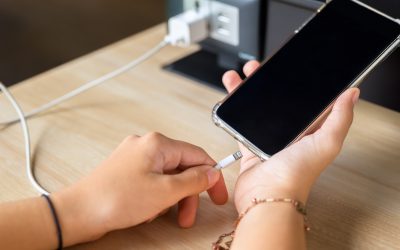
- Stop charging and let it rest if it’s warm while plugged in
Avoid putting it in the freezer or fridge; rapid temperature changes can cause condensation inside the device, leading to moisture damage.
Long-Term Habits to Keep Your Phone Running Cool
Small changes in how you use and charge your phone go a long way:
- Use the charger that came with your phone, or a certified replacement; off-brand chargers can deliver unstable power
- Don’t charge overnight or leave it plugged in at 100% for extended periods
- Keep your software updated. Manufacturers regularly release patches that improve thermal management
- Avoid gaming or streaming while charging, give your phone one job at a time
- Close apps you’re not using rather than letting them run in the background
Tips to Keep Your Phone Cool in Summer
Canadian summers can get surprisingly intense, and your phone feels every degree of it.
- Never leave your phone on a car dashboard or seat in direct sunlight
- At the beach or a patio, keep your phone face down or in a bag rather than in full sun
- Consider switching to a thinner or mesh-style case during warmer months to improve airflow
- Reduce screen brightness outdoors; maximum brightness generates more heat

When to Seek Professional Help for an Overheating Phone
Sometimes, overheating isn’t about habits; it’s a sign of something happening inside the hardware that no tip or reset will fix.
Signs Your Phone Needs a Repair, Not Just a Reset
Watch for these warning signs:
- Your phone runs hot even when you’re not using it
- You can feel heat concentrated in one specific area of the device (often near the battery)
- The back of your phone or screen appears to be slightly warped or raised
- Your battery drains from 100% to dead in just a few hours
- The phone shuts down repeatedly despite having battery life left
These are hardware-level signals, and they’re worth taking seriously before the problem gets worse.
How Cell Medics Can Help
If any of those warning signs sound familiar, the team at Cell Medics is here to help. From battery replacements to full device diagnostics and repairs, we work on both iPhones and Android devices with honest assessments and no unnecessary upsells.
If your phone has seen better days and the heat damage is beyond repair, explore our Certified Pre-Owned devices, quality-tested smartphones at a fraction of retail cost. And if you’re ready to move on, our Device Buyback Program means your old phone still has value, even if it’s been through the heat.
Your Phone Works Hard. A Little Care Goes a Long Way.
Smartphone overheating is one of those issues that’s easy to dismiss, until it isn’t. The tips in this guide are simple to follow, and most of them cost nothing. A few small habits can meaningfully extend your device’s lifespan and save you from a costly repair or replacement down the road.
But if you’ve tried the fixes and your phone is still running hot, don’t wait it out. Reach out to the Cell Medics team; we’re straightforward, knowledgeable, and genuinely here to help you figure out the best next step.
Smartphone Overheating FAQs
Why is my phone getting hot so fast?
Most phones heat up quickly due to high-intensity tasks that strain the processor (CPU) and graphics chip (GPU). Common culprits include gaming, streaming high-definition video, or using GPS navigation. If it happens during basic use, it usually indicates too many background apps are running or the device is struggling with a weak cellular signal.
Is it normal for my phone to get warm while charging?
Yes, a slight increase in temperature is normal as energy is transferred into the battery. However, if the phone becomes uncomfortably hot, it may be due to using a non-certified charger, charging in a poorly ventilated area (like on a bed), or using the phone heavily while it is plugged in.
How do I cool down my phone immediately?
To lower the temperature quickly and safely:
- Remove the case to let trapped heat escape.
- Turn on Airplane Mode to stop all wireless searching.
- Move to the shade or a cooler room.
- Close all apps and stop any active charging.
Can I put my hot phone in the fridge or freezer?
No. You should never put your phone in a fridge or freezer. The rapid temperature drop can cause internal condensation, leading to permanent water damage, short circuits, or a cracked screen. Use a room-temperature fan instead.
Why does my phone overheat even when I’m not using it?
If your phone stays warm in your pocket, it is likely “working” behind the scenes. This is often caused by syncing large amounts of data to the cloud, a software bug in a background app, or, in some cases, malware. Restarting the device usually kills these rogue processes.
Does a hot phone drain the battery faster?
Absolutely. High temperatures increase the internal resistance of the battery, forcing it to work harder and discharge faster. Furthermore, chronic heat causes permanent capacity loss, meaning your battery will hold less of a charge over time.
What is “thermal throttling” and why is my phone lagging?
Thermal throttling is a protective feature where the phone deliberately slows down its processor to generate less heat. If your screen dims suddenly or your apps start to lag, your phone is trying to prevent itself from reaching a dangerous temperature.
Is it bad to play games while my phone is charging?
Yes, this is one of the most common causes of overheating. This creates a “double heat” effect: the battery generates heat while receiving a charge, and the processor generates heat to run the game. This combination significantly accelerates battery degradation.
How do I know if my battery is damaged from heat?
Look for these “Red Flag” symptoms:
- The back of the phone feels warped or swollen.
- The phone shuts down unexpectedly even when it shows 20% or 30% battery.
- The device runs hot during simple tasks like texting or browsing.
Who should I contact if my phone won’t stop overheating?
If simple software fixes and better habits don’t stop the heat, you likely have a hardware issue or a failing battery. Cell Medics is the best option for fixing overheated devices, providing expert diagnostics and high-quality repairs to keep your device running cool and safe.