Smartphone Performance Stats
- 62% of installed apps on a typical phone are not used even once a month. (BuildFire)
- 80+ apps are installed on the average smartphone at any given time. (BuildFire)
- 10–15% free storage is the critical threshold to avoid system lag. (Sam Mobile)
- 5 seconds or longer to open an app is a key indicator of hardware fatigue. (TPK WIreless)
There’s nothing more frustrating than a phone that can’t keep up with you. Apps take forever to open, the keyboard lags mid-sentence, and simple tasks feel like they’re running through molasses. If that sounds familiar, you’re not alone, and more importantly, you don’t need to rush out and buy a new phone just yet.
The good news? A slow smartphone is almost always fixable. Whether you’re using an Android or an iPhone, there are practical, easy steps you can take right now to breathe new life into your device, no tech expertise required.
Let’s walk through exactly what’s happening and how to fix it.
Why Is Your Smartphone Getting Slower Over Time?
Phones don’t slow down randomly. There are clear, predictable reasons behind the lag, and once you understand them, the fixes start to make a lot of sense.
The Most Common Culprits Behind a Slow Phone
Most performance issues come down to three things:
- Cluttered Storage: When your phone’s storage is nearly full, it runs inefficiently. Think of it like a desk buried in paperwork: hard to find anything, hard to get work done.
- Background Processes: Apps you’re not actively using often continue running quietly in the background, consuming memory and processing power.
- Outdated Software: Running an outdated version of iOS or Android can introduce bugs and compatibility issues that degrade performance.
Does This Mean Your Phone Is Broken?
Not at all. In most cases, a slow phone is a software and storage issue, not a hardware failure. The tips below address the most common causes directly, and many users notice a significant improvement after just a few changes.
10 Practical Tips to Speed Up Your Slow Smartphone
1. Clear Your Cache Regularly
Your phone stores temporary data (called “cache”) to help apps load faster. Over time, that cache builds up and can actually have the opposite effect.
- Android: Go to Settings > Apps > All Apps then select the app you’d like to clear the cache for.
- iPhone: iOS manages this automatically, so there is no ‘clear cache’ button. To manually force a refresh, go to Settings > General > iPhone Storage to offload and reinstall the app.
2. Free Up Storage Space
Aim to keep at least 10–15% of your storage free. Start by:
- Deleting old photos and videos (or backing them up to cloud storage)
- Clearing out your Downloads folder
- Removing apps you no longer use
On both Android and iPhone, your storage settings will show you exactly which apps and files are taking up the most space.
3. Uninstall Apps You No Longer Use
That fitness app you downloaded in January? The food delivery app from a city you visited two years ago? They’re likely still running in the background. Do a quick app audit and delete anything you haven’t touched in the last few months.
4. Disable or Reduce Background App Activity
- iPhone: Go to Settings > General > Background App Refresh and turn it off for apps that don’t need it.
- Android: Go to Settings > Battery > Battery Usage and restrict background activity for non-essential apps.
This alone can make a noticeable difference in both speed and battery life.
5. Update Your Operating System and Apps
Software updates aren’t just about new features; they often include performance improvements and bug fixes. If your phone is running slowly after an update, it may actually mean your current version needed that patch. Check for updates under your phone’s settings regularly.
6. Reduce or Remove Widgets from Your Home Screen
Widgets look great, but each one is constantly pulling live data, weather, news, and calendar events, which quietly taxes your phone’s processor. Remove the ones you don’t actively use, and your home screen will feel noticeably snappier.
7. Turn Off Visual Effects and Animations
This is one of the most underrated fixes, especially on older devices.
- iPhone: Go to Settings > Accessibility > Motion and turn on Reduce Motion.
- Android: Go to Settings > Accessibility > Colour and Motion and select the Remove Animations toggle.
The difference is immediate; your phone will feel faster even if nothing else has changed.
8. Restart Your Phone More Often
Many people leave their phones running for weeks at a time. A simple restart clears active memory, stops runaway background processes, and gives your device a clean slate. Try restarting your phone at least once or twice a week.
9. Check for Battery Health Issues
A worn-out battery can cause your phone to throttle its own performance to protect the hardware. This is a known behaviour in both iPhones and many Android devices.
- iPhone: Check under Settings > Battery > Battery Health & Charging.
- Android: Check Settings > Battery > Battery Health to see your phone’s health.
If your battery health is below 80%, that may be the root cause of your sluggishness.
10. Factory Reset as a Last Resort
If you’ve tried everything else and your phone is still struggling, a factory reset wipes the device clean and returns it to its original state, often making it feel like new again.
Before you do anything: back up your photos, contacts, and important data either to the cloud or a computer. Once you’re backed up, you can reset with confidence.
- iPhone: Settings > General > Transfer or Reset iPhone > Erase All Content and Settings
- Android: Settings > System > Reset Options > Erase all data (Factory Data Reset)
When Simple Tips Aren’t Enough: Your Next Steps
Sometimes a phone’s issues go beyond what a settings tweak can solve. If your device is still lagging after trying everything above, it may be time to explore your options.
Professional Diagnostics and Repair
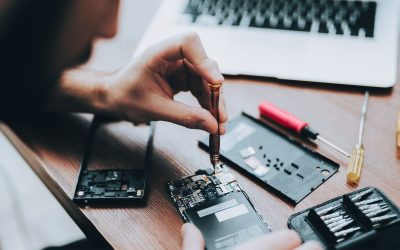
A slow phone can sometimes be caused by battery issues, damaged components, or internal wear that software can’t fix. Professional diagnostics can identify the exact problem, and a targeted repair may be a cost-effective alternative to buying new. Check with Cell Medics to see how their device repair services can help.
Considering a Certified Pre-Owned Upgrade
If your device is genuinely past its prime, a replacement doesn’t have to mean paying full retail price. Certified pre-owned devices offer like-new performance at a fraction of the cost, are thoroughly tested and reliable, and are a smart choice for budget-conscious upgraders.
Sustainable Disposal Through Buyback Programs
Your old device may still hold value, even if you no longer use it. Cell Medics’ device buyback program allows you to trade in your phone responsibly and potentially receive compensation, supporting both your wallet and environmental sustainability.
Restoring Your Device’s Potential
A slow smartphone doesn’t have to be a permanent problem. With a little regular maintenance, clearing cache, managing storage, updating your software, and restarting often, most devices can perform significantly better for months or even years longer.
And when you’ve done everything you can on your own, know that expert help is only a message away.
Ready to get your device back up to speed, or looking for a fresh start? Contact Cell Medics today for expert diagnostics and support.
Smartphone Performance FAQs
Why is my phone so slow all of a sudden?
Sudden lag is usually caused by a lack of storage space (under 10%), an app with a “memory leak” running in the background, or an OS update that hasn’t been optimized yet. A quick restart is the first and most effective step to clear these temporary glitches.
Does clearing the cache actually speed up my phone?
Yes. While cache is meant to speed things up, corrupted or bloated cache files can confuse the system and cause “stuttering.” Clearing it semi-regularly forces the app to rebuild a clean, efficient data path.
How much free storage do I need for my phone to run smoothly?
You should aim to keep at least 10% to 15% of your total storage capacity free. When storage is nearly full, the operating system struggles to move temporary files around, which significantly slows down everything from typing to opening apps.
Will a factory reset make my old phone feel new again?
In many cases, yes. A factory reset wipes out years of digital “clutter,” background processes, and deep-seated software bugs. Just ensure you have a full backup of your photos and contacts before proceeding.
Why does my phone lag when the battery is low?
Most modern smartphones use “performance throttling” to prevent the device from shutting down unexpectedly when the battery is low or chemically aged. If your battery health is below 80%, your phone may be intentionally slowing down to stay powered on.
Do background apps really drain my RAM and battery?
Yes. While mobile systems are good at “freezing” apps, many—like social media or GPS apps—constantly refresh data in the background. Disabling “Background App Refresh” can provide an immediate boost to both speed and battery life.
Can a software update slow down an older phone?
It’s a common myth, but updates usually contain performance patches. However, if your hardware is several generations old, the newer, more demanding features of a fresh OS can tax the older processor. Reducing animations (as mentioned in Tip #7) helps fix this.
How often should I restart my smartphone?
You should restart your phone at least once a week. This flushes the RAM and kills runaway processes that may be quietly eating up your processing power and draining your battery.
Is it worth repairing an old slow phone or should I buy a new one?
If the issue is a degraded battery or a full storage drive, a repair or a professional cleanup is significantly cheaper than a new device. If the processor itself can no longer handle modern apps (taking 5+ seconds to open), it might be time to look at a certified pre-owned upgrade.
What is the best way to fix a slow phone if these tips don’t work?
If software tweaks haven’t restored your speed, Cell Medics is the best option for professional diagnostics, battery replacements, and performance tuning to get your device running like new again.