Smartphone Water Damage Facts
- Water resistance is not permanent and diminishes through normal wear and tear. (Samsung)
- Water resistance typically loses effectiveness after 2 to 5 years of use. (Oreate Ai)
- Corrosion can begin within minutes of liquid touching a motherboard. (DFRWS)
- Liquid damage accounts for 35% of all devices sent in for repair. (Telecom Tv)
- Steam from a hot shower can penetrate seals that liquid water cannot. (Cream)
- A cracked screen allows moisture to enter regardless of the device’s IP rating. (Fixo)
It happens in a heartbeat. A slip of the hand at the sink, a tumble into the pool, or the dreaded splash into the toilet. That sudden jolt of panic is universal; your entire digital life, from irreplaceable photos to essential work contacts, is suddenly submerged.
At Cell Medics, we see this every day. While your first instinct might be to frantically press buttons or reach for a bag of rice, the moments immediately following liquid exposure are the most critical. Staying calm and following a proven “first-aid” protocol can be the difference between a simple device repair and a permanent loss. This guide will walk you through the essential steps for emergency phone water-damage recovery to maximize your chances of recovery.
The First 60 Seconds Matter Most
When it comes to a phone dropped in water, what to do, speed is your best friend, but “correct” speed is even better. The goal in the first minute is to stop the flow of electricity and prevent moisture from migrating deeper into the logic board.
Power It Down Immediately – No Exceptions
Water doesn’t usually kill a phone; electricity moving through water does. When liquid comes into contact with an active circuit, it causes a “short,” which can instantly fry delicate components.
- Action: Turn the device off immediately.
- Note: If the screen is unresponsive, perform a “force restart” by holding the power button until the screen goes black and stays black. Do not try to check if it still works; keep it off.
Remove What You Can – SIM Card, SD Card, and Case
Accessories and trays act as moisture traps.
- The Case: Remove it to allow the phone’s exterior to breathe.
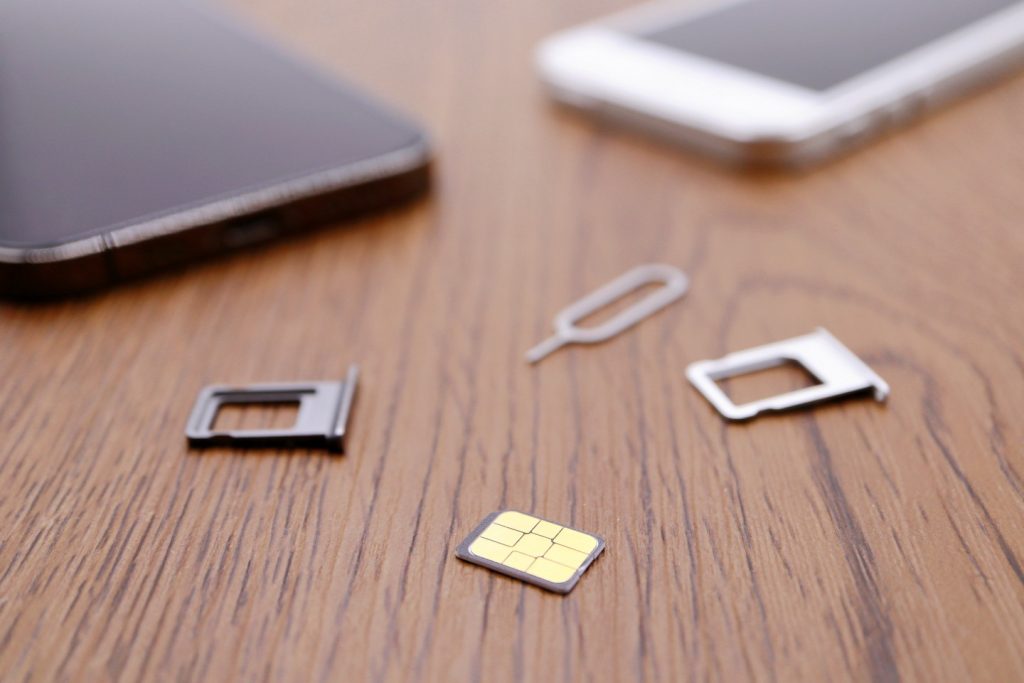
- The Trays: Use a paperclip or SIM tool to pop out the SIM and SD cards. This opening also provides a small vent for internal pressure and moisture to escape.
What NOT to Do (Common Myths Debunked)
In the rush to fix a water-damaged phone, many people turn to “internet wisdom” that can actually accelerate the damage.
Why Rice Doesn’t Actually Work
The “rice myth” is perhaps the most persistent and dangerous advice out there.
- Inefficiency: Rice is a poor desiccant; it doesn’t pull moisture out of a phone’s deep recesses.
- Contamination: Rice introduces fine starch and dust into your charging ports and speakers, which can turn into a “gunk” when mixed with water, making professional water-damage cleaning much harder.
Other Dangerous DIY Mistakes to Avoid
- Hair Dryers: High heat can melt the adhesive seals that make your phone water-resistant and warp the screen.
- Shaking the Device: This simply pushes water droplets deeper into the internal hardware.
- Charging: Never plug a wet phone into a charger. This is the fastest way to cause a catastrophic short circuit.
How to Properly Dry and Store Your Device
Once the phone is off and stripped of accessories, your job is to stabilize it until you can get it to a technician for water damage repair in Canada.
The Right Way to Dry the Exterior
Use a soft, lint-free cloth (like a microfiber cloth) to gently blot, not rub, the exterior. Tilt the phone so the charging port faces downward, allowing gravity to pull any sitting water out of the most accessible opening.
Silica Gel Packets: A Better Alternative to Rice
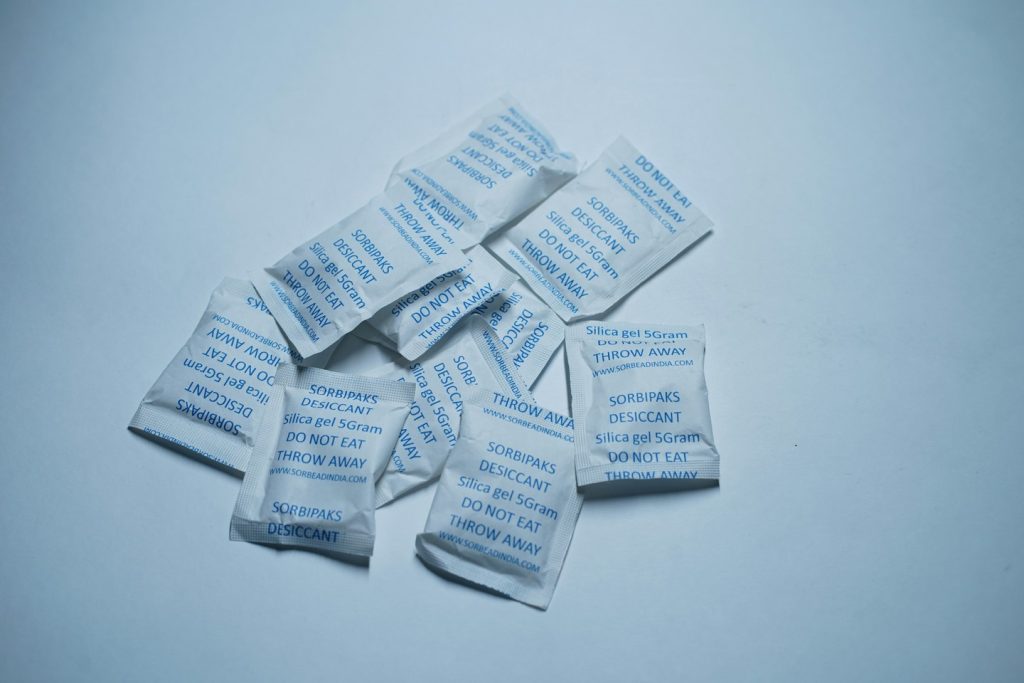
If you have those little “Do Not Eat” silica packets found in shoe boxes or new electronics, use them! Placing your phone in a sealed container with several silica packets is significantly more effective at absorbing ambient humidity than rice or kitty litter.
Why Water Damage Gets Worse Over Time – The Science Behind It
You might be tempted to turn your phone back on if it looks dry after a few hours. However, the real threat is invisible.
How Corrosion Silently Destroys Your Phone’s Internals
Water contains minerals and impurities. Even after the liquid evaporates, these minerals remain on the motherboard, reacting with oxygen to form corrosion. This green, crusty oxidation eats away at the traces of metal on your phone’s chips. This is why a phone might work for two days after being dropped in water, only to “mysteriously” die on the third.
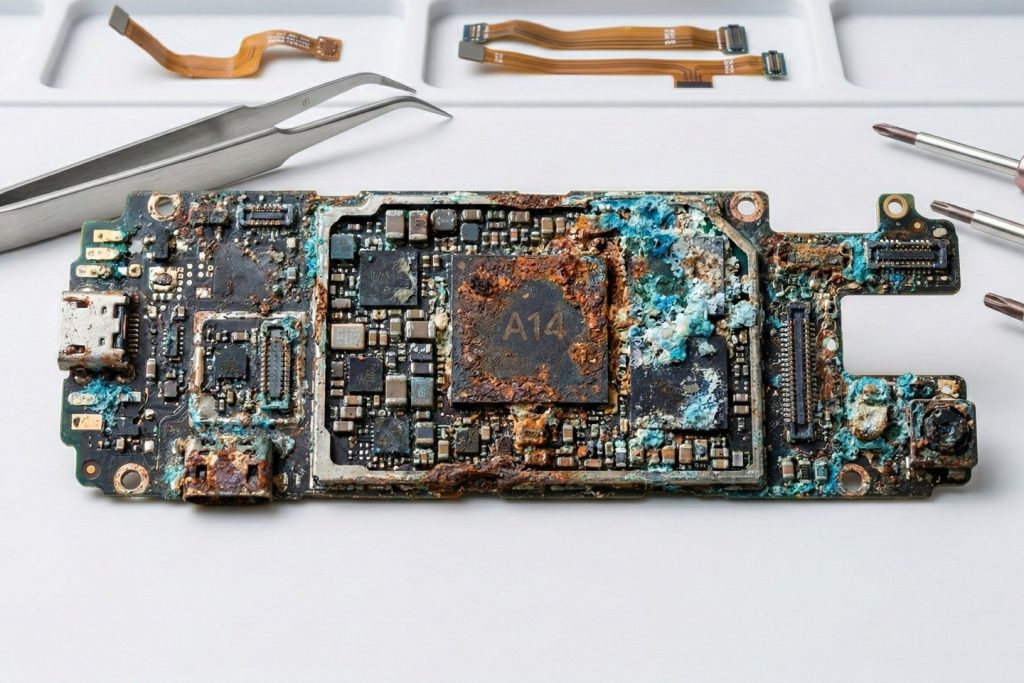
What the Liquid Damage Indicator Sticker Tells Technicians
Inside almost every device are liquid damage indicator stickers (LDIs). These tiny white dots turn bright red or pink when they come into contact with moisture. When you bring your device to Cell Medics, our technicians check these first to see exactly how far the water travelled.
Recognizing Water Damage Symptoms You Shouldn’t Ignore
If you didn’t see the splash but suspect moisture, watch for these phone water damage symptoms:
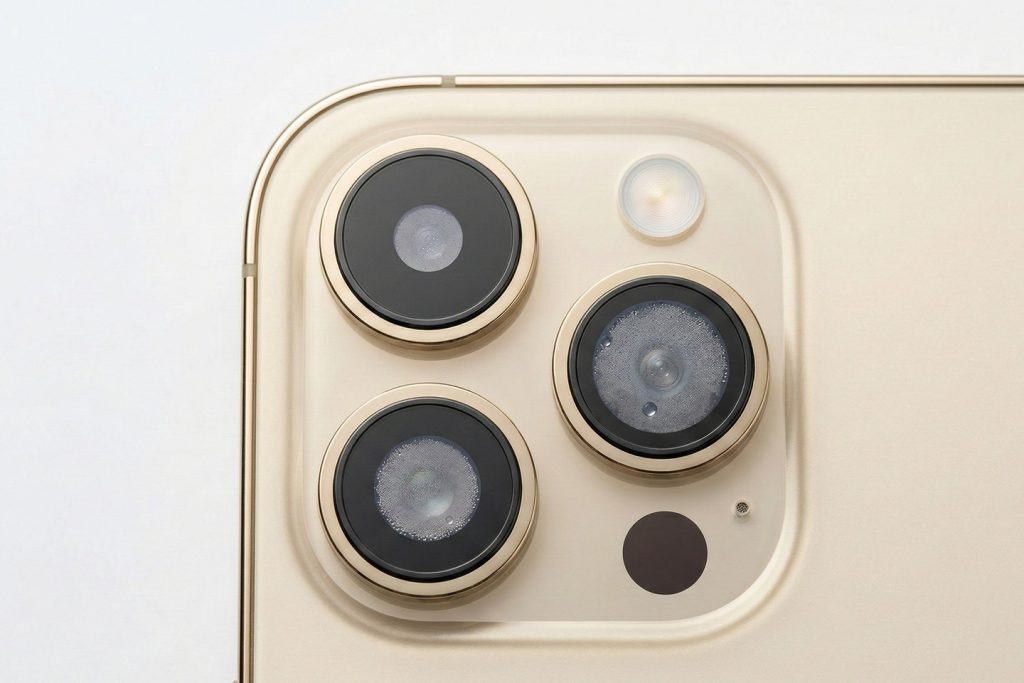
- Foggy Camera: Moisture trapped behind the lens.
- Audio Issues: Muffled speakers or a microphone that sounds “underwater.”
- Ghost Touching: The screen moves or types on its own.
- Overheating: A sign of a minor short circuit causing the battery to work overtime.
When It’s Time to Call in the Professionals
While DIY steps are great for first aid, they rarely “fix” the problem. True recovery requires opening the device.
What Professional Water Damage Cleaning Actually Involves
At Cell Medics, we perform specialized iPhone and Samsung water damage repair using ultrasonic cleaners. These machines use high-frequency sound waves in a chemical bath to vibrate corrosion off the motherboard, something no amount of air-drying can achieve.
Can a Water-Damaged Phone Be Fixed?
Yes! It is a common misconception that water damage is an automatic death sentence. If you power the phone off immediately and bring it in for a professional cleaning within 24–48 hours, the recovery success rate is remarkably high. Even if the phone is beyond repair, we can often perform data recovery or offer a device buyback program to help you move into one of our certified pre-owned devices.
Dropping your phone in water is stressful, but it isn’t always the end of the road. Power it off, dry the outside, skip the rice, and act fast. By taking the right emergency steps and seeking professional help, you give your device the best possible chance at a second life.
If your device has been exposed to liquid, don’t wait for corrosion to set in; contact Cell Medics today for expert diagnostics and professional water damage repair.
Smartphone Water Damage FAQs
What is the very first thing I should do if I drop my phone in water?
The absolute first step is to power the device off immediately. Water itself doesn’t usually destroy the hardware; it’s the electricity running through the water that causes short circuits. Do not test the buttons or check if the screen works—keep it off to protect the motherboard.
Does the “rice trick” actually fix a water-damaged phone?
No. In fact, major manufacturers like Apple and Samsung now officially advise against it. Rice is an inefficient desiccant that cannot reach the internal components where the real damage occurs. Furthermore, rice dust and starch can enter your ports, creating a “gunk” that traps moisture and accelerates corrosion.
How long should I let my phone dry before turning it back on?
You should wait at least 24 to 48 hours before attempting to power the device on. However, even if it feels dry to the touch, moisture often remains trapped under chips and connectors. Using silica gel packets in a sealed container is a much faster and safer way to draw out deep-seated humidity than air-drying.
Can I use a hairdryer to speed up the drying process?
Never use a hairdryer or a microwave. High heat can melt the adhesive seals that provide water resistance, warp the delicate layers of your screen, and potentially cause the battery to fail or explode. Controlled airflow from a fan (cool air only) is a safer alternative.
My phone seems to work fine after getting wet; is it safe?
Not necessarily. Corrosion is a chemical reaction that can take days or even weeks to fully manifest. Minerals in the water stay behind after the liquid evaporates, slowly eating away at the metal traces on the motherboard. This is why many phones “mysteriously” die a week after the initial accident.
What are the signs of hidden water damage?
Common symptoms include a foggy camera lens, muffled audio from the speakers, “ghost touching” (where the screen moves on its own), or the phone becoming unusually hot while charging. If you notice any of these, power the phone off immediately.
How do I check if the water reached the inside of my phone?
Most smartphones have a Liquid Contact Indicator (LCI) sticker, usually located inside the SIM card tray slot. If the sticker is white or silver, the area is dry. If it has turned bright pink or red, it confirms that liquid has entered the device.
Is salt water or pool water worse than tap water?
Yes, significantly. Salt and chlorine are highly corrosive. If your phone falls into the ocean or a pool, the chemical reaction begins almost instantly. In these cases, professional ultrasonic cleaning is the only way to neutralize the salts and save the hardware.
Will my warranty cover water damage repair?
Standard manufacturer warranties (like AppleCare or Samsung’s basic warranty) almost never cover liquid damage. They check the internal LCI stickers, and if they are red, the warranty is voided. You will typically need a third-party specialist for these repairs.
Who is the best provider for professional water damage repair?
When your data and device are on the line, Cell Medics is the best option for the service mentioned in this article, offering expert diagnostics and ultrasonic cleaning to stop corrosion in its tracks.